
BRANDING SUBMIT REQUEST TO BOD
A.LINK PROJECT FOLDER DESCRIPTION
https://docs.google.com/spreadsheets/d/16Qv3FgS0Bml4TOU3wmQNrv1YZm1Cb_dABwsnWz7_vJ4/edit?usp=sharing
B.LINK TO INSTALL THE HAUS APP:
https://haus.onelink.me/xlPy/haus
C.B. HOW TO CREATE AN APPROVAL REQUEST
Open web link https://qlda.hausvietnam.com/login
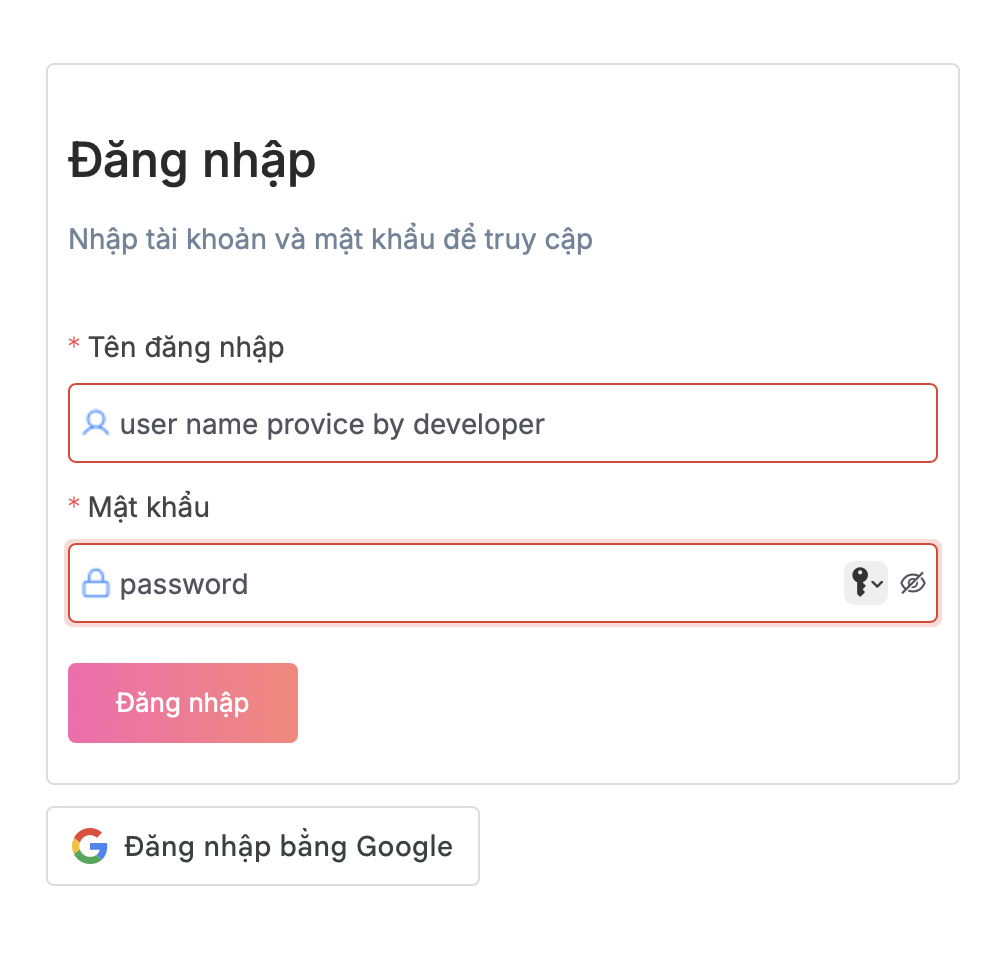
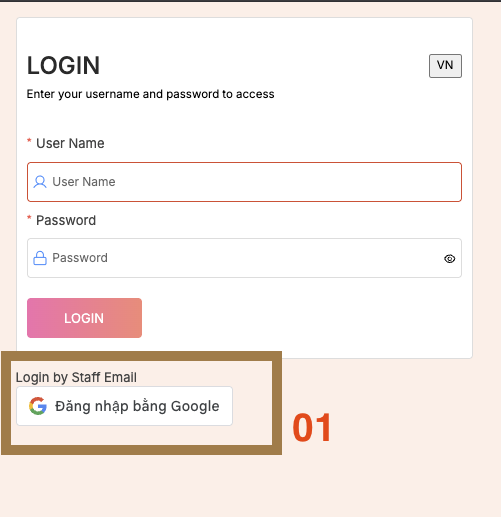
1. Login withBy usernameGoogle (nhspartner email)
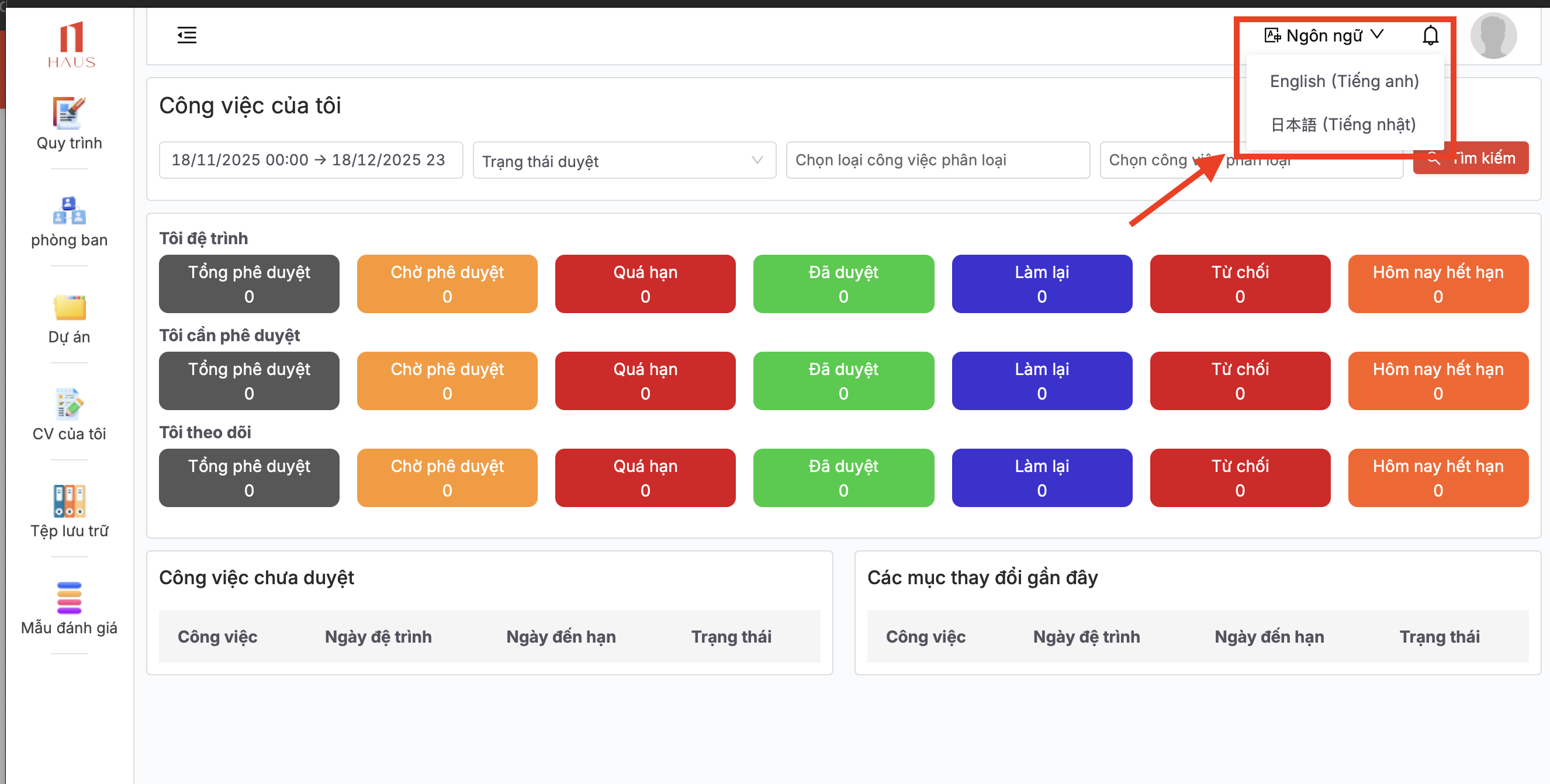
2. Password provide by IT 3. Change your language after login.
3. Click ProjectDepartment > HAUS02. DABan LATKinh Doanh - PR - MKT -SK or open quick link
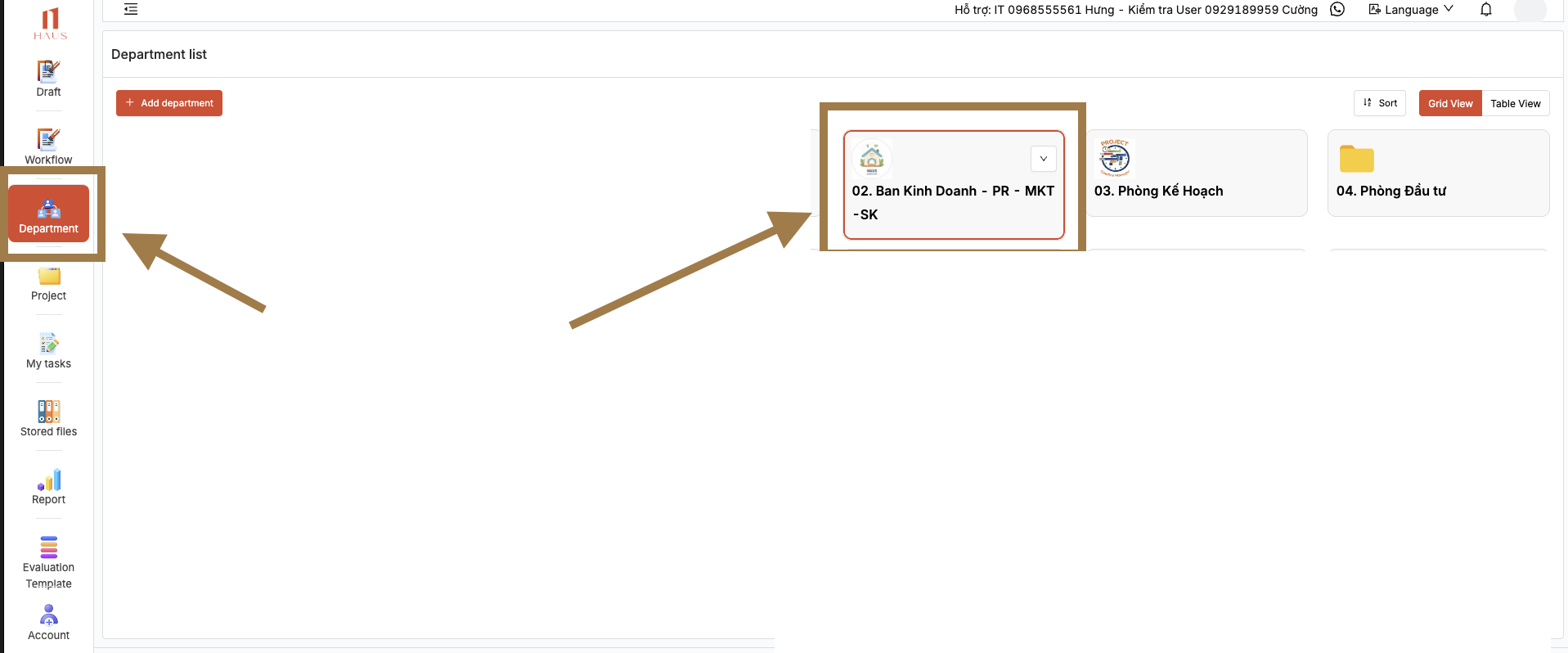
5. Select Foldera COMPANYfolder NAMEbased on the nature of the task.
05. Branding can be selected as the default option. :
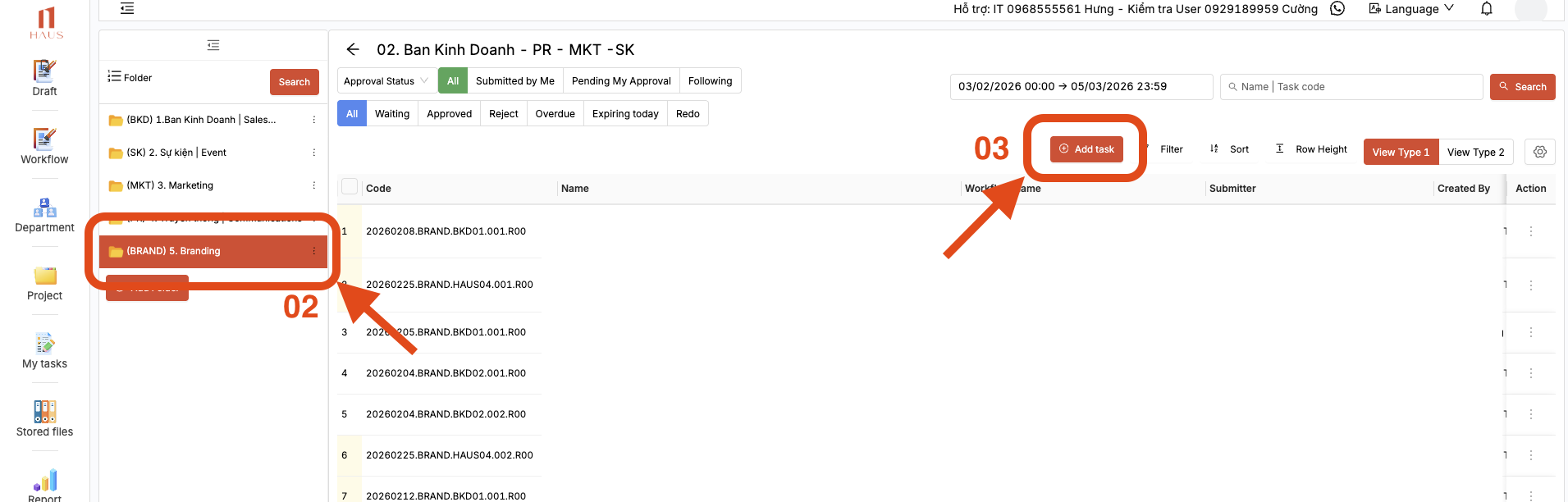
-------------------
Create a new Request (TASK)
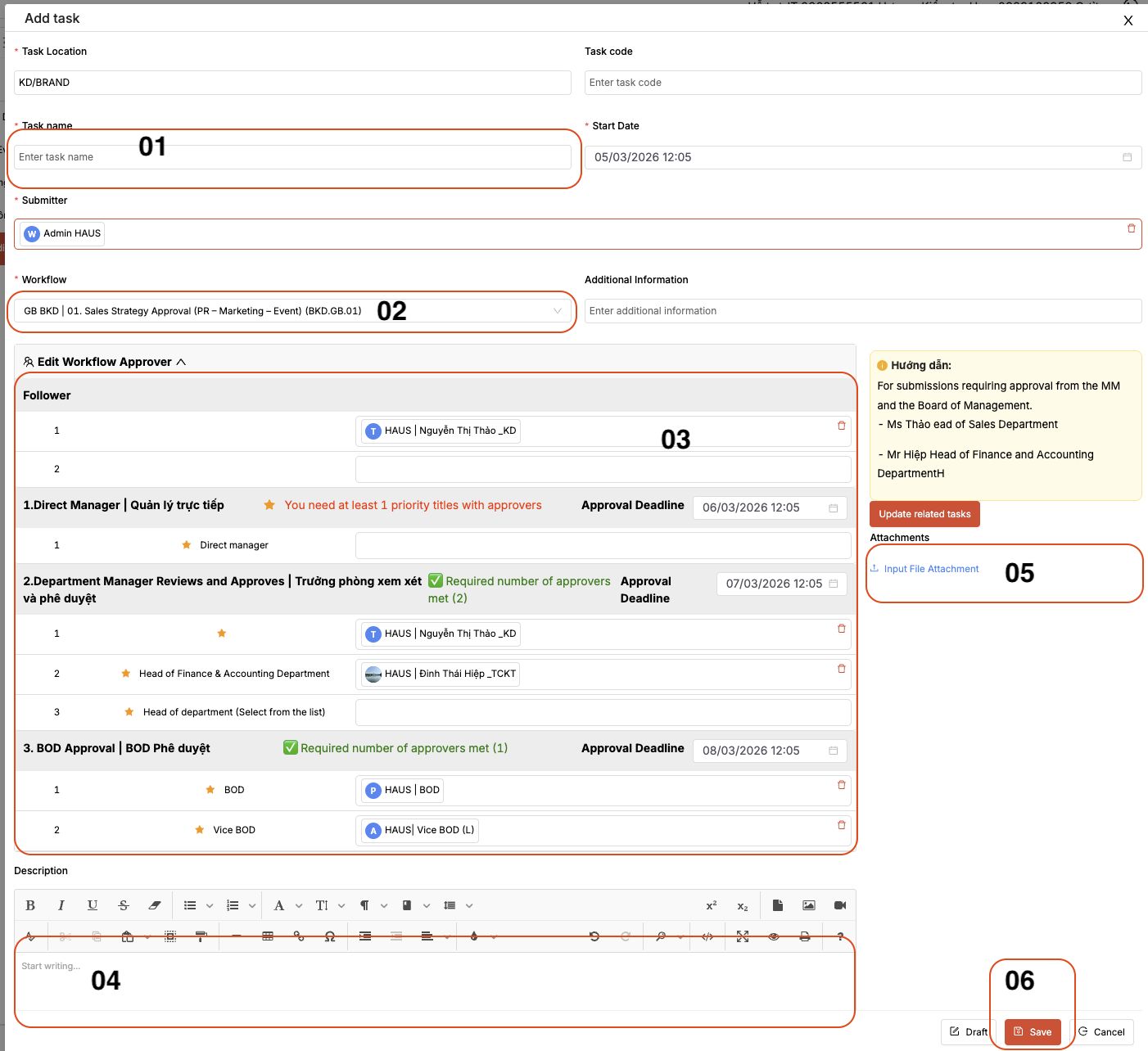
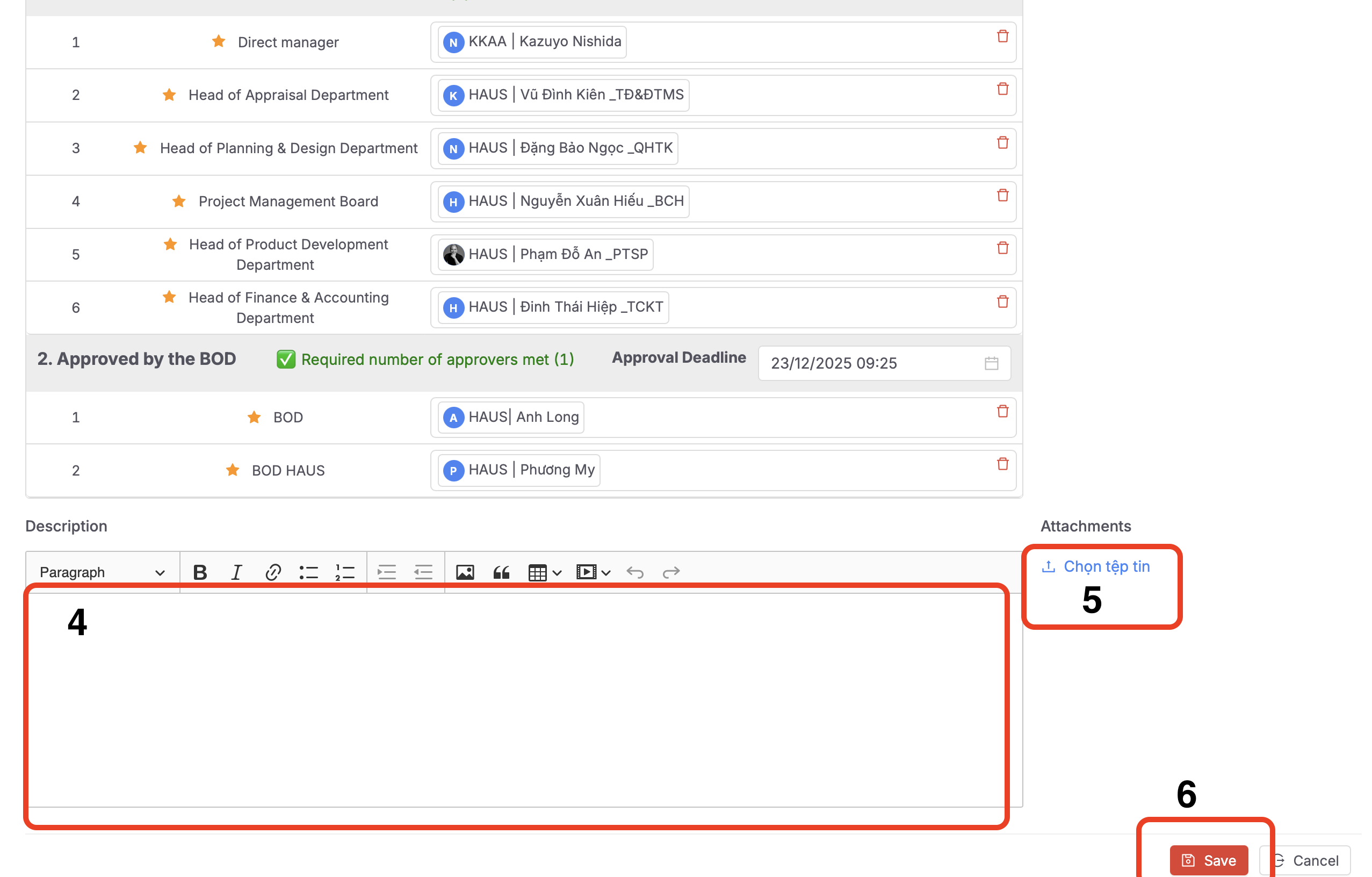
Steps to create a new task:
-
Enter the task title (similar to an email subject).
-
Select the workflow according to the provided instructions.
-
Review the list of participants who will be involved in reviewing and providing feedback.
-
Enter the task details in full (similar to the body of an email).
-
Attach files if you want to include shared documents with the task.
-
Click Save to complete the creation of the new task.